Every tool you need,
Drop a file. Pick a tool. Done.
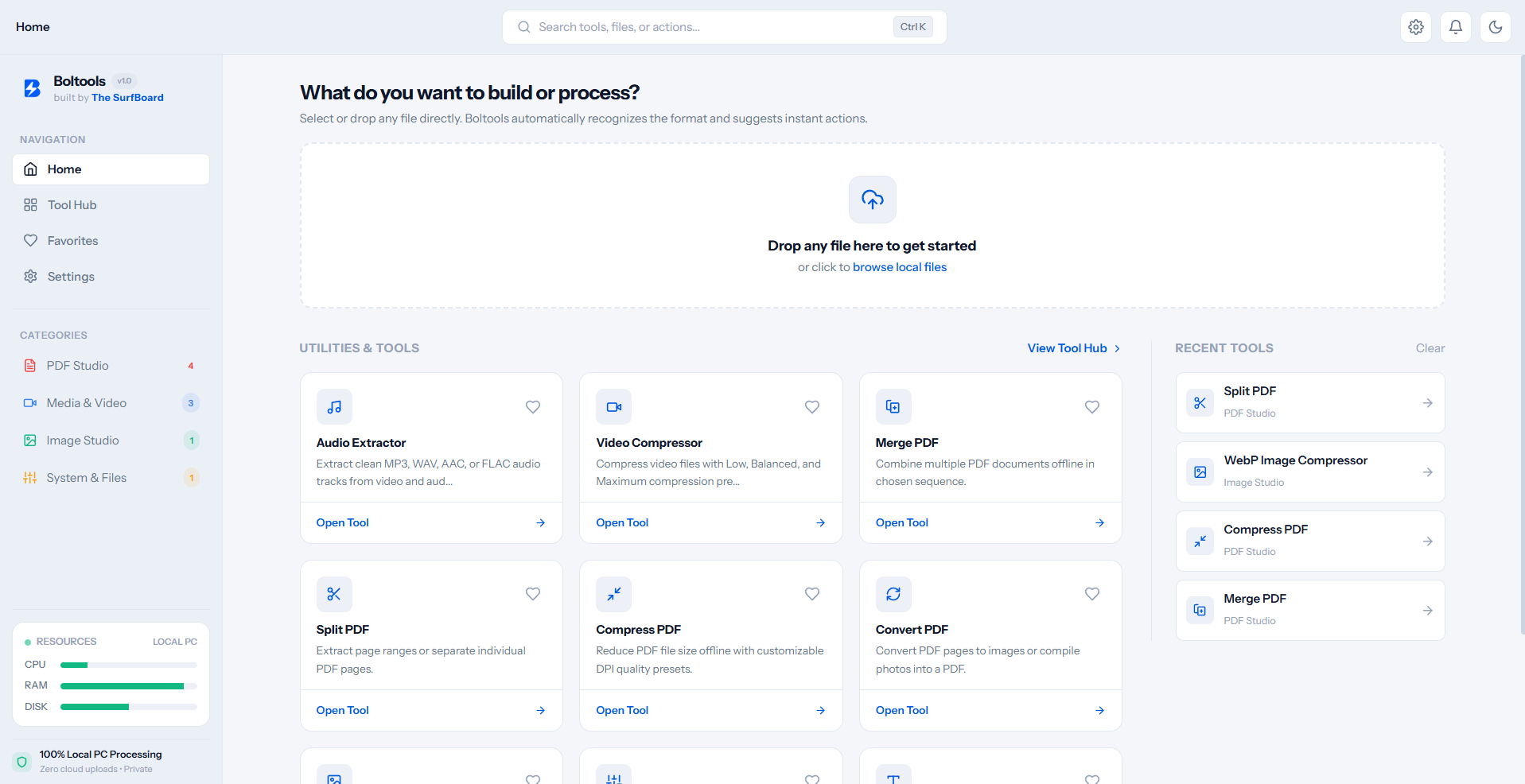
This is the real Boltools app on Windows. It recognises your file and suggests what you can do with it.
Desktop Utilities
Native desktop tools built for everyday creator and power-user workflows. Fast, private, and continuously updated.
No utilities match your search
Have a repetitive workflow you need automated? Share your idea with the team.
Coming next
New tools arrive inside the app. No reinstall needed.
Your files never leave your PC.
Most web tools upload your file to their server, process it there, and send it back. Boltools skips the trip.
Typical online tool
- Your file
- Upload
- Someone else’s server
- Download back
Boltools
- Your file
- Your own PC
- Done
Local-first & private
Audio, video, documents and sensitive files are processed on your machine. No uploads, no tracking.
100% free forever
No subscriptions, no credit card prompts, no account to create.
Light on your PC
One small installer. Tools only run when you open them.
Questions people ask
Is Boltools really free?
Yes. Every tool is free. There is no subscription, no trial and no account.
Do my files get uploaded anywhere?
No. Your files are processed on your own PC and never leave it.
Does it need the internet?
Only to download the app and to fetch new tools and updates. The tools themselves work offline.
Why does Windows show a warning when I install it?
New apps without a paid code-signing certificate get a SmartScreen warning until they build reputation. Click “More info”, then “Run anyway”. The download page shows the file’s SHA-256 fingerprint so you can check it.
Which Windows versions are supported?
Windows 10 and Windows 11, 64-bit.
How do I get new tools?
New tools appear inside the app as they are released. You do not need to reinstall Boltools.
Ready to get started?
Download Boltools for Windows. One small installer, ten tools today, more on the way. 100% free.
Download for Windows